
One voice and one guitar
Scarlett Solo, SM58-LC and ATH-M40x work together for separate tracks and headphone monitoring. Allow for a stand and XLR cable if you don’t have them.
Compare the recommendationChoose a recording setup around your room, signal chain and the number of sources you need.
Scarlett Solo, SM58-LC and ATH-M40x work together for separate tracks and headphone monitoring. Allow for a stand and XLR cable if you don’t have them.
Compare the recommendationThe Scarlett 4i4 adds a second mic input. The AT2020 suits quieter detail in a quiet room; an Eris pair serves as a compact speaker reference.
Compare the recommendationThe 18i16 makes sense for more mics, independent headphone mixes or future ADAT expansion. A smaller interface is a better fit for a single voice.
Compare the recommendationRecord vocals and guitar on separate tracks and you can bring the vocal forward without turning up the guitar. An interface makes that signal path straightforward: its preamp boosts the microphone signal, its converter digitises it, and your recording software writes it to a track. Playback travels the other way, to headphones or studio monitors.
Connect an XLR mic and an electric guitar to the Scarlett Solo and record them to separate tracks. Pair it with an SM58-LC, an XLR cable, a stand with a suitable clip, and closed-back headphones such as the ATH-M40x. Add a pop filter if close vocals produce strong P and B sounds. The Solo is not the right choice for two XLR mics at once.
Focusrite Scarlett Solo 4th Gen — separate voice and guitar tracks ↗Specs comparison, not a hands-on review.External link · No affiliate tracking
Scarlett Solo to computer, SM58-LC to Solo, and ATH-M40x to the headphone jack: that is enough to record vocals over a backing track. Put the mic on the boom and run XLR to the mic input. Add a pop filter if you sing close to the mic. If you play electric guitar at the same time, record the instrument input to a second track.
Choose the dynamic SM58-LC for close vocals, rehearsals or a mic you can also take on stage. It does not need phantom power. Budget for a separate XLR cable. In a quiet room, a condenser may suit a soft instrument whose nuances you want to capture.
Shure SM58-LC — close vocals and speech ↗Specs comparison, not a hands-on review.External link · No affiliate tracking
The Scarlett 4i4 lets you record two voices through the mic inputs and a stereo keyboard through the extra line inputs. MIDI carries performance instructions, not sound. Extra line outputs can feed a separate signal path; choose a larger interface for two independent headphone mixes or future ADAT expansion.
Focusrite Scarlett 4i4 4th Gen — two separate vocal tracks ↗Specs comparison, not a hands-on review.External link · No affiliate tracking
Pair the Scarlett 4i4 with the AT2020 if the room is quiet enough to capture detail. Fit the mic to its mount, connect it by XLR and enable 48 V. Track with closed-back ATH-M40x headphones to keep playback out of the mic. For mixing, switch to the Eris pair. Allow for two balanced quarter-inch TRS cables from line outputs 1/2; they are not listed among the supplied accessories.
The Scarlett 18i16 has four mic preamps and two independent headphone outputs. A singer can hear more backing track while you use a different mix at the desk. For more microphones, add a compatible ADAT preamp; available channel counts depend on sample rate. Count the mics, line sources and monitoring feeds you will use at the same time.
Focusrite Scarlett 18i16 4th Gen — more tracks and separate monitoring ↗Specs comparison, not a hands-on review.External link · No affiliate tracking
On the Scarlett 18i16 you can, for example, put an AT2020 on vocals and reuse an SM58-LC on a guitar amp, recording each to its own track. Allow one XLR cable and mount per mic. Give the performer a headphone mix and monitor a separate mix at the desk; you can keep the Eris pair as your first speaker reference. The MIDI keyboard goes to the computer, not a mic input. To add mics later, budget for a compatible ADAT preamp, not just an optical cable.
Use XLR for a typical studio mic, Hi-Z for passive guitar pickups and line connections for synths and active monitors. Many XLR condensers need 48 V; follow the manual. Direct monitoring sends your input to headphones without the trip through software, while software monitoring lets you hear effects. On Windows, use the manufacturer’s ASIO driver if supported: try a smaller buffer when tracking and raise it if the audio crackles or the mix gets heavy.
Closed-back headphones keep backing tracks from leaking into the mic. Open-back headphones can be comfortable for mixing, but let sound out. Place nearfields at ear height and the same distance from you; broadband absorption at early reflection points can help with short reflections but does not soundproof the room. One USB mic can simplify solo podcasting, while XLR makes it easier to add guests. A MIDI keyboard plays software instruments; start with two empty mono tracks and a headphone mix in your DAW.
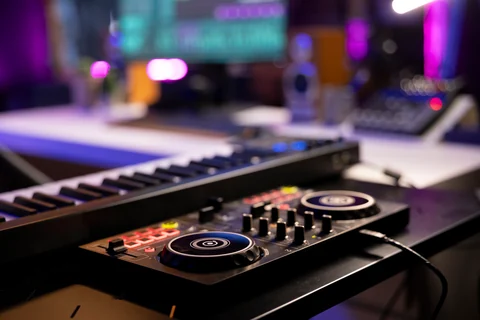
A spoken track at a desk and two musicians playing together need different setups. Count your simultaneous sources before shopping and check whether your room or placement is the real limit.
A vocal setup needs a microphone, amplification or an interface if required, recording software and monitoring. For software instruments alone, the computer and headphones you already have may be enough.
USB keeps a one-mic setup simple. XLR and an interface offer a more flexible signal chain but add cables, hardware and setup. Check what you need now before paying for expansion.
Confirm the software recognises a USB mic and that you can connect headphones as required. With two microphones, changing sources or a future upgrade, an interface can be easier to manage. Check whether you need low-latency monitoring or another headphone feed.
For a voice track, a quiet room and consistent distance may matter more than an upgrade. If you record voice and instrument together, establish whether you need two mic preamps or an instrument input.
An interface can advertise more channels than it has microphone sockets. Check the connections, whether phantom power is available when needed and compatibility with your computer. Include cables and a stand in the budget.
For simultaneous voice and guitar, check for a suitable XLR mic input and a high-impedance instrument input for many passive guitars. Review drivers, direct monitoring and the headphone connection. Some condenser mics need 48 V phantom power; follow the specific manuals.
Closed-back headphones help keep a click track out of a vocal mic. The Audio-Technica ATH-M40x is one example. Check comfort and cable reach; for mixing, cross-check on a second playback system you know.
The ATH-M40x is a wired closed-back model with a detachable cable. These features do not prove fit or mixing accuracy. Check the interface output and plug size, and whether the cable would get in the way. Cross-check mixes on familiar playback.
Technical specificationsAmazon.de link. Check availability, specifications and terms at the destination.
the Audio-Technica ATH-M40x — monitor while recording ↗Specs comparison, not a hands-on review.Choose for the source, room and working distance. A condenser may need phantom power. A dynamic mic is not automatically immune to room noise; placement and gain still matter.
A close dynamic XLR microphone can be an option for spoken voice or singing in a reflective room. Pattern, distance and acoustics still matter. Budget for an appropriate stand, XLR cable and a pop filter if needed.
Play back a voice or instrument track at a normal level. Listen for noise, clipping and reflections. Fix anything you can by moving the source or adjusting the gain, then decide what remains.
Record the same passage at two distances. Listen for plosives and room reflections and leave headroom for louder passages. If the stand resonates or the cable pulls on the mic, fix that before buying new equipment.